

- Every other sub-account
Default
Every sub-account
Your main brand and the full menu.
Re-skin the sidebar, menus, pages, dark mode and login page your clients see. Built for Highline, works on Classic, installed with two lines.
30 days free, then $37 a month. Card taken at sign-up, nothing charged for 30 days. Cancel anytime.
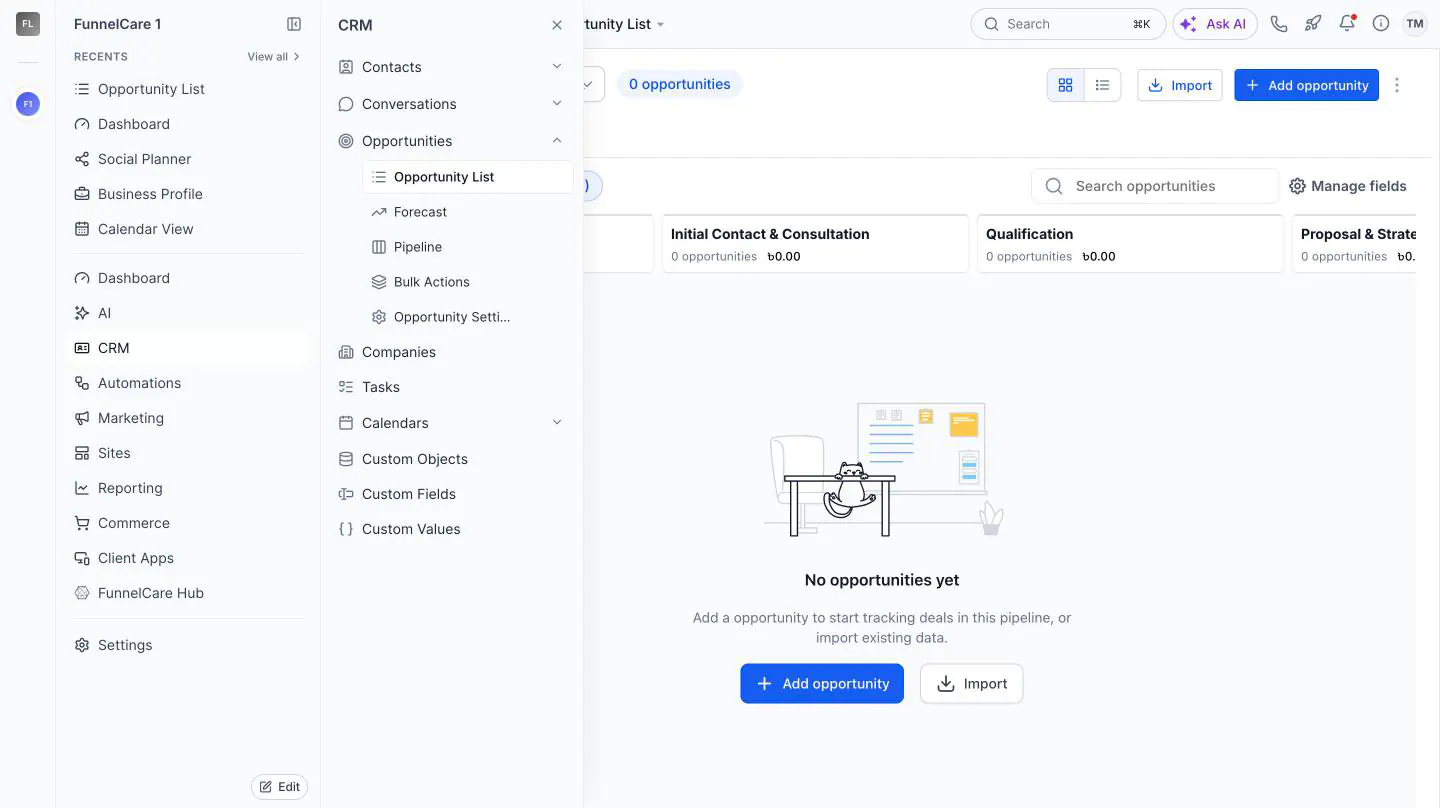
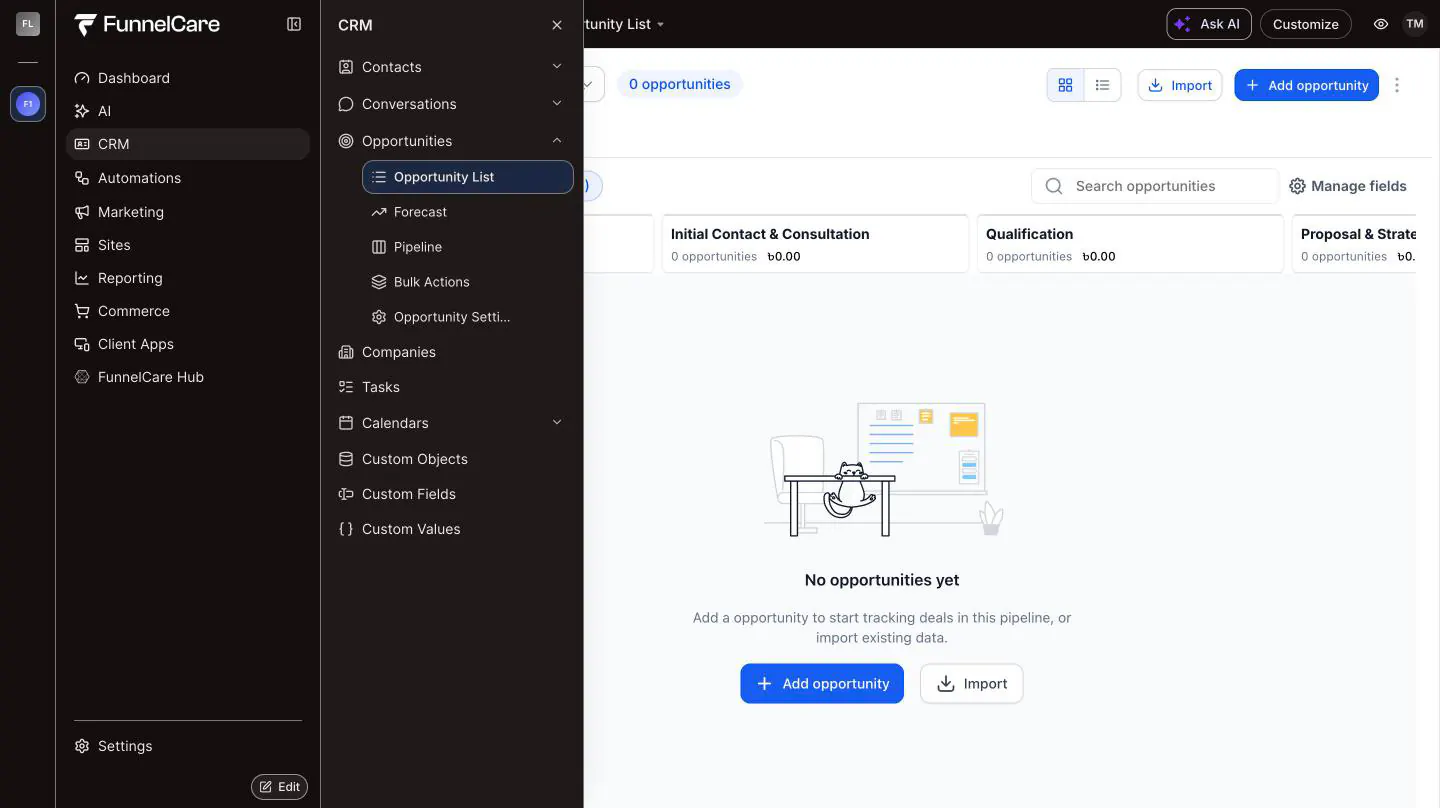
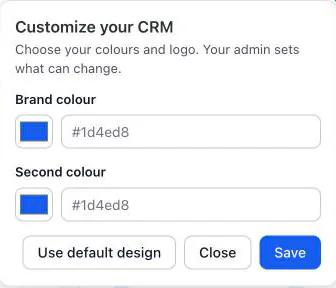
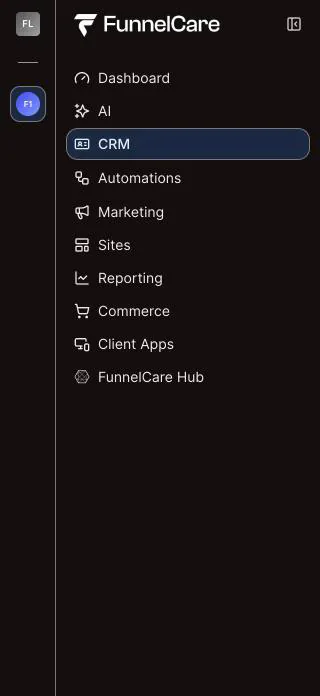
A live HighLevel account on Highline, first stock, then our published design. Side panels are crops of the same account.
Works without HighLevel's $497 plan
No HighLevel password shared
Never touches contacts, pipelines or billing
Most HighLevel branding is a box of CSS aimed at class names HighLevel can rename in any release. The Customizer stores your design as settings, and we maintain the code that applies it.
HighLevel ships a release. A class is renamed or a menu moves.
Your rule stops matching. The sidebar colour resets and hidden items come back.
Someone rewrites it. Usually after a client notices first.
HighLevel ships a release. Same change, same day.
We update the runtime once. Your design is stored as settings, so nothing of yours needs editing.
Every client gets the fix. On their next page load. You don't republish.
Highline is HighLevel's new layout, and accounts are moving to it. Design for it now. Classic keeps its own settings, so clients see nothing new until you publish.
Deals, stages and values look exactly as HighLevel draws them, framed by your brand. Clients work in a CRM that feels like yours from the first login.
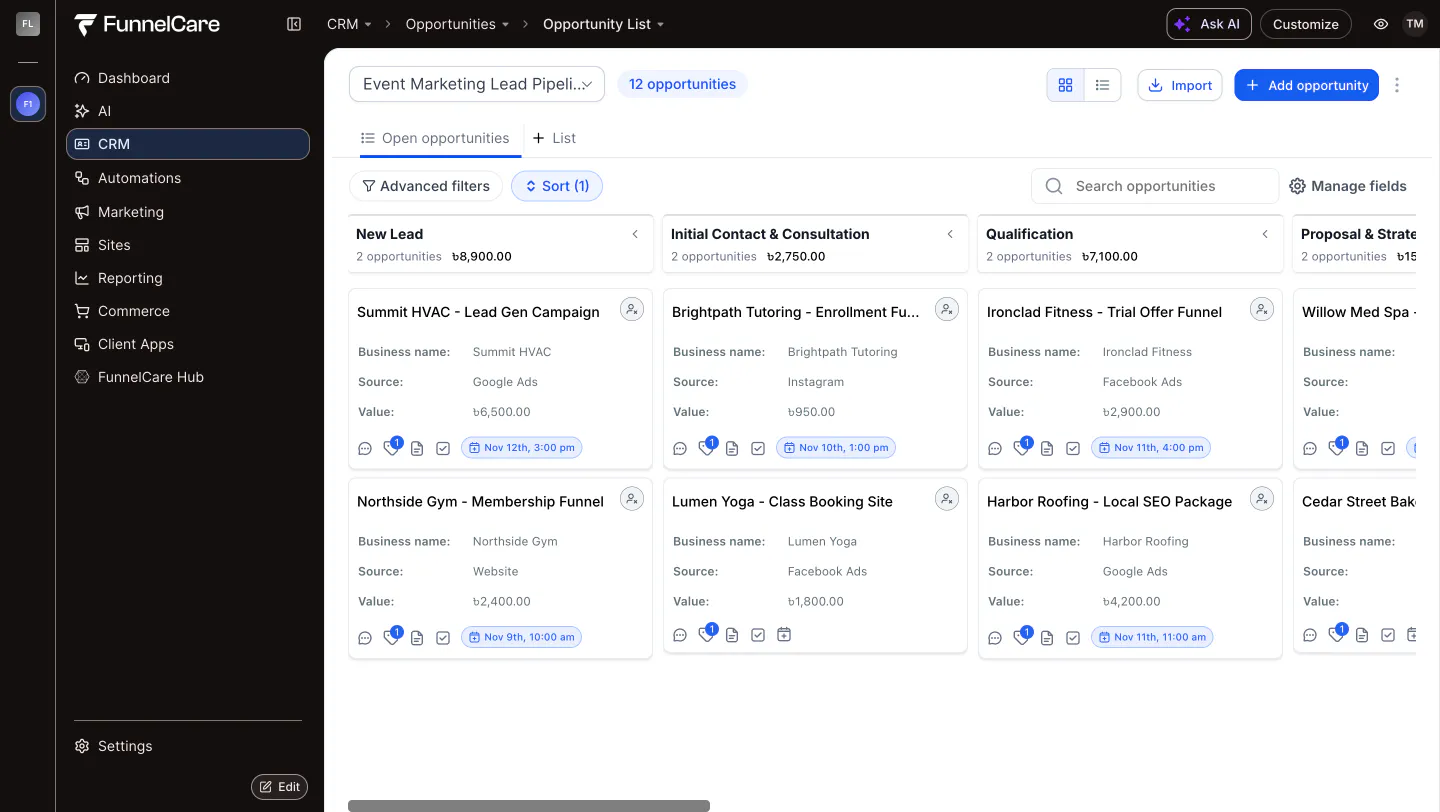
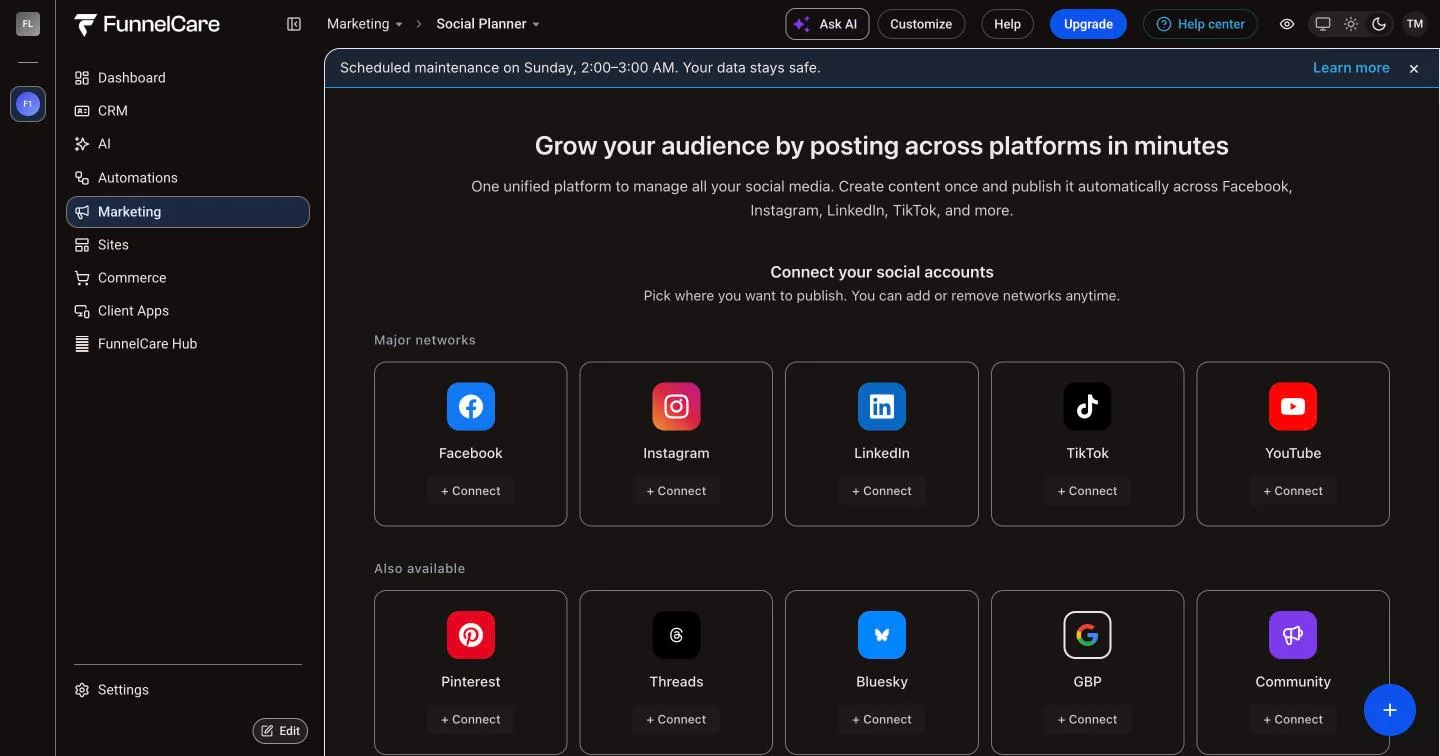
Your logo, your colours and your top bar around the inbox, contacts, settings and every other page. Recents, search and HighLevel's own icons are gone.
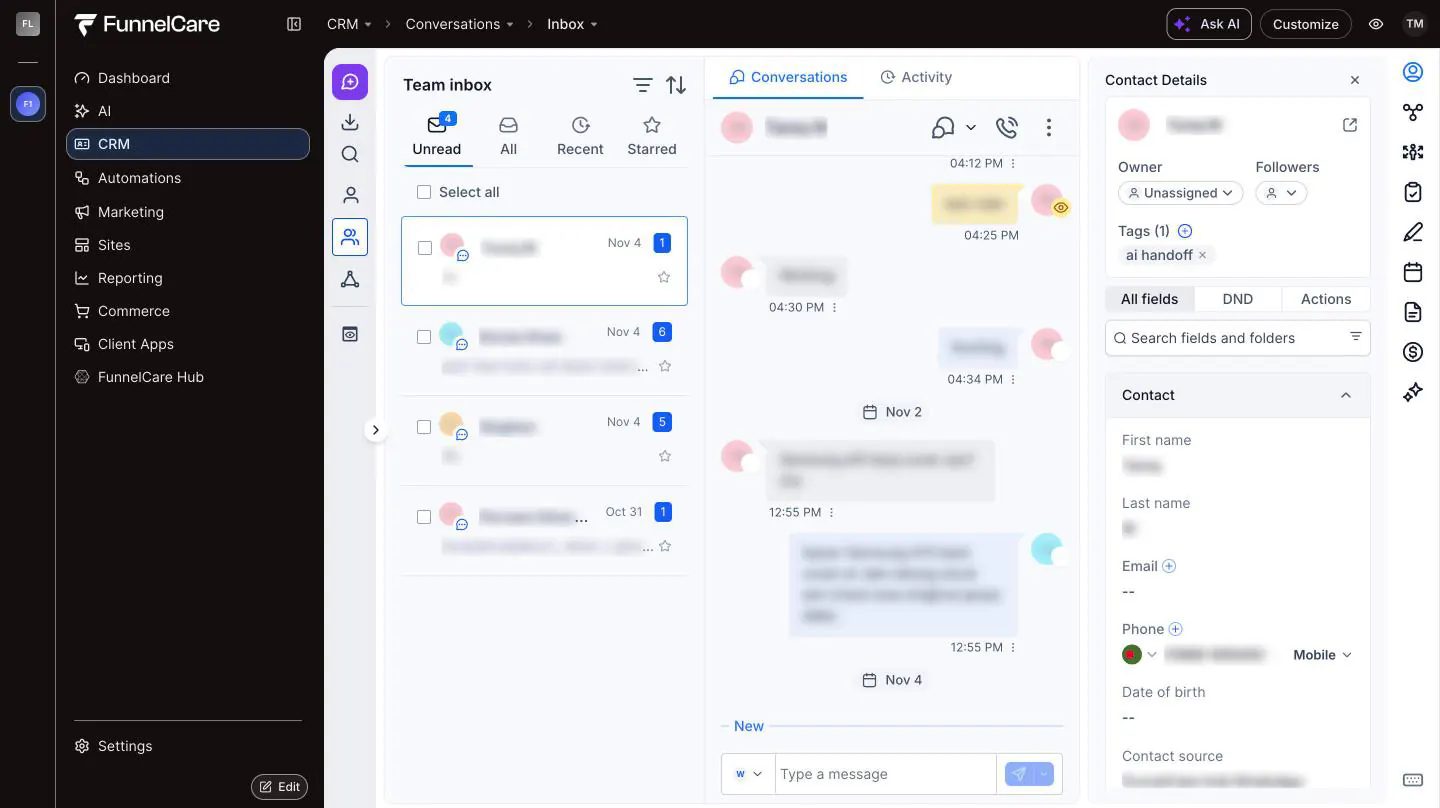
Social Planner, settings, reports: whole pages go dark in your colours. HighLevel's own cards and buttons stay where your clients expect them.
Rename, group and reorder menu items for each niche. Flyouts take your colours, so nothing flashes back to stock.

27 Classic themes and 11 UI kits, plus settings for the header, top menu, sidebar, buttons, cards and tabs. On Classic, dark looks darken the sidebar and header.
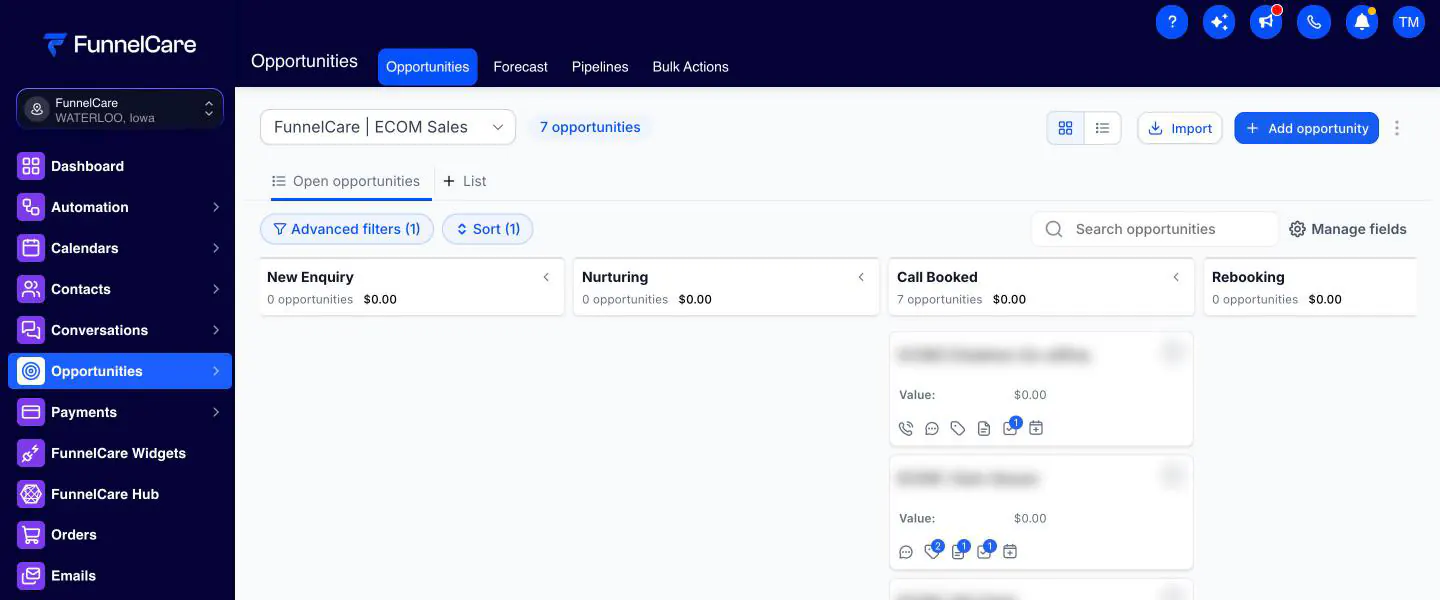
Real screens from one account. Drag the line: stock HighLevel on the left, your published design on the right.
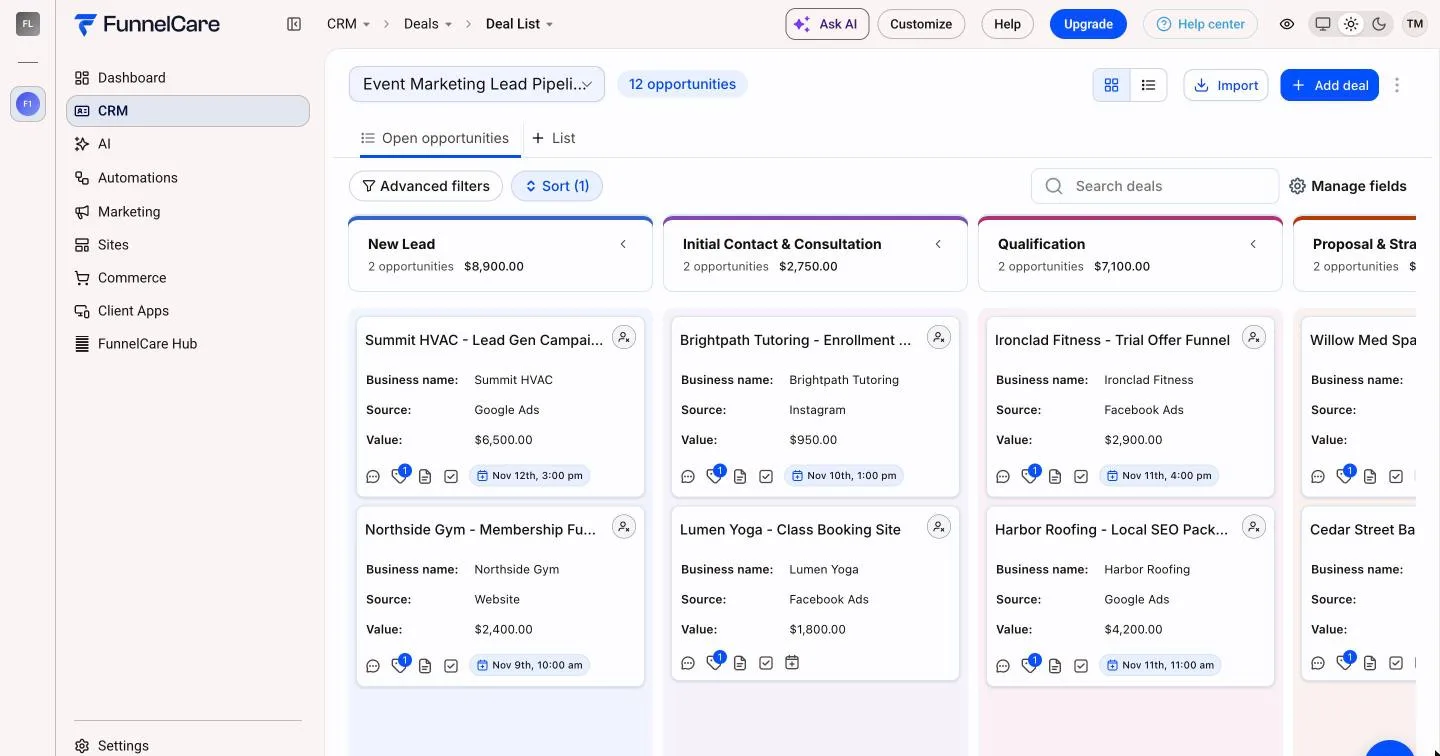
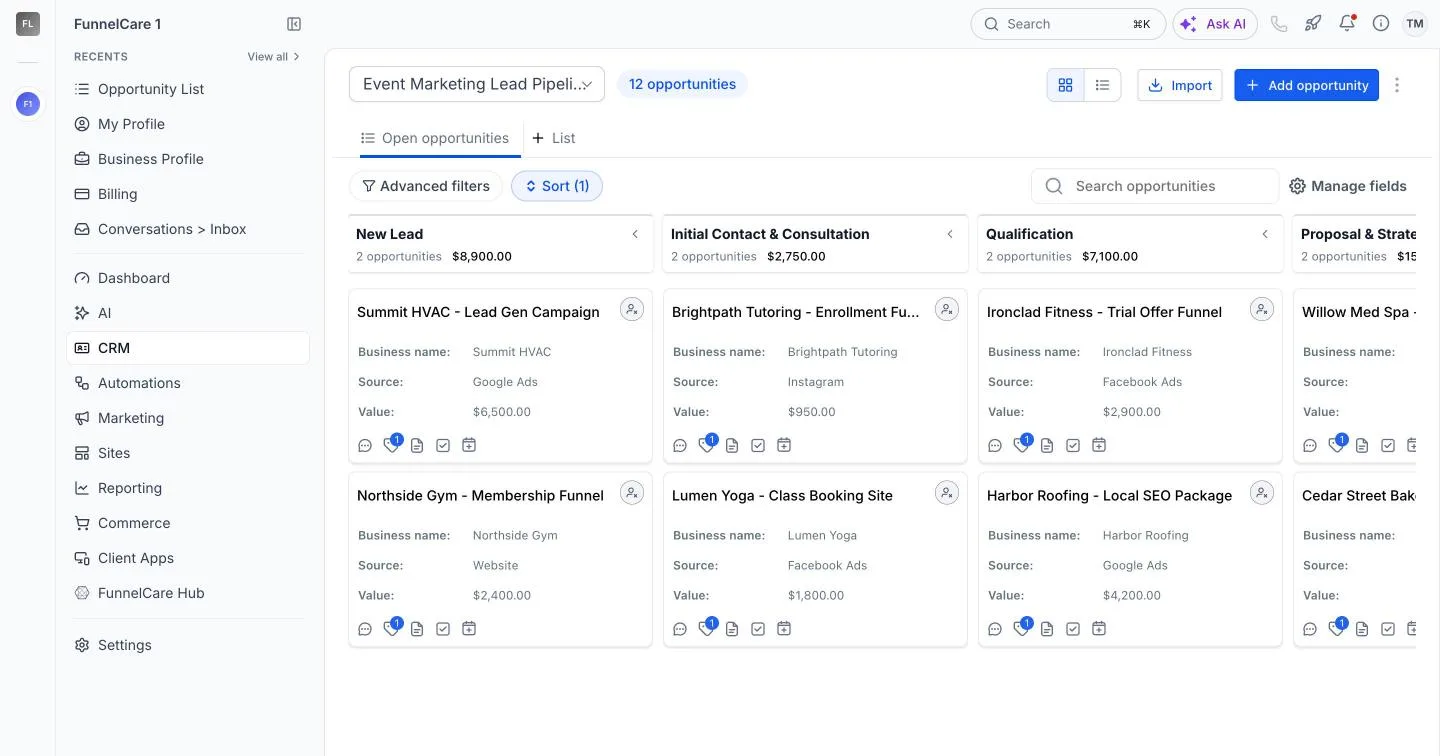 Stock HighLevel
Your software
Stage colours, a board style and your own terms: "Deals" instead of "Opportunities". Clients feel they bought a product made for their business, so it's easier to charge for it.
Live account on Highline, demo data. Your logo and colours appear here.
HighLevel's pages stay white. With the Customizer the whole CRM goes dark: boards, lists, settings, reports and menus. Or keep it light, tinted in your brand colour.
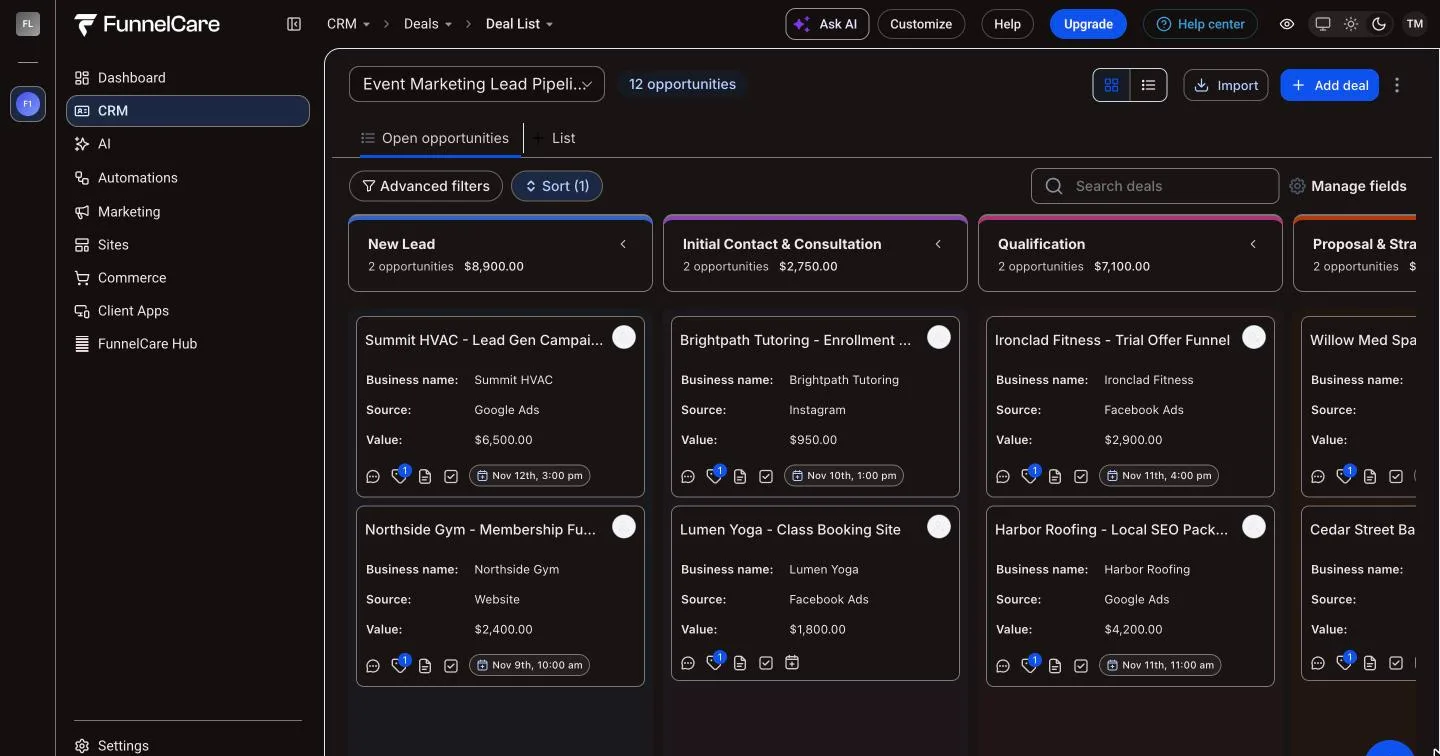
Live account on Highline, demo data. Your logo and colours appear here.
An Experience Profile is a complete design: brand, look, menu and page settings. Match it to sub-accounts, users, roles or user types. The most specific match wins. Up to 24 profiles.
Example: four profiles in one agency
Every sub-account
Your main brand and the full menu.
Selected sub-accounts
Warm colour. The inbox and reviews first, Funnels hidden.
Selected sub-accounts
Contacts called Leads, deals as the first page.
All except paying clients
A short menu, and an upgrade on what they haven't paid for.
Four jobs, one editor, all in the $37 plan. Here is what changes for you and for every client you onboard.
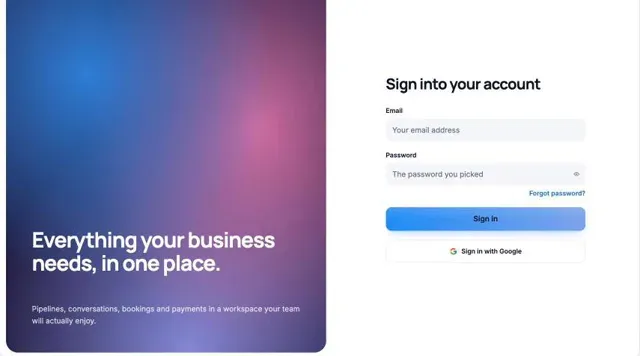
Your clients see your brand on every screen, from the login page to the last settings tab.
Ready-made looks drawn in your brand colour, light or dark pages
16 login page designs with your wording on every screen
Your fonts, favicon, browser tab title and loading screen
A white-labelled editor with your name, logo and colour
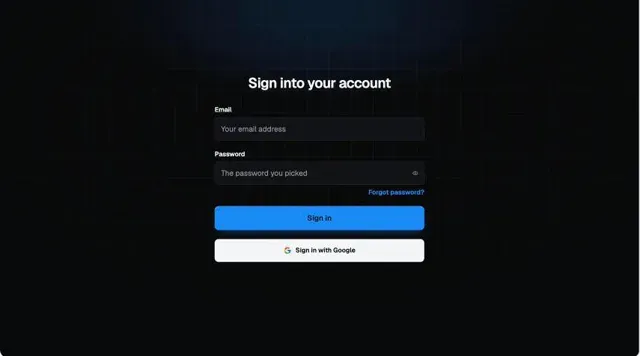
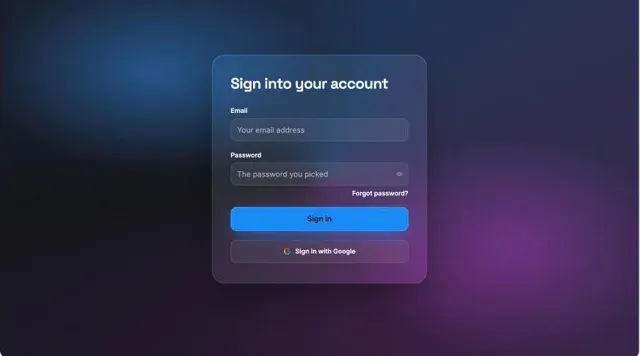
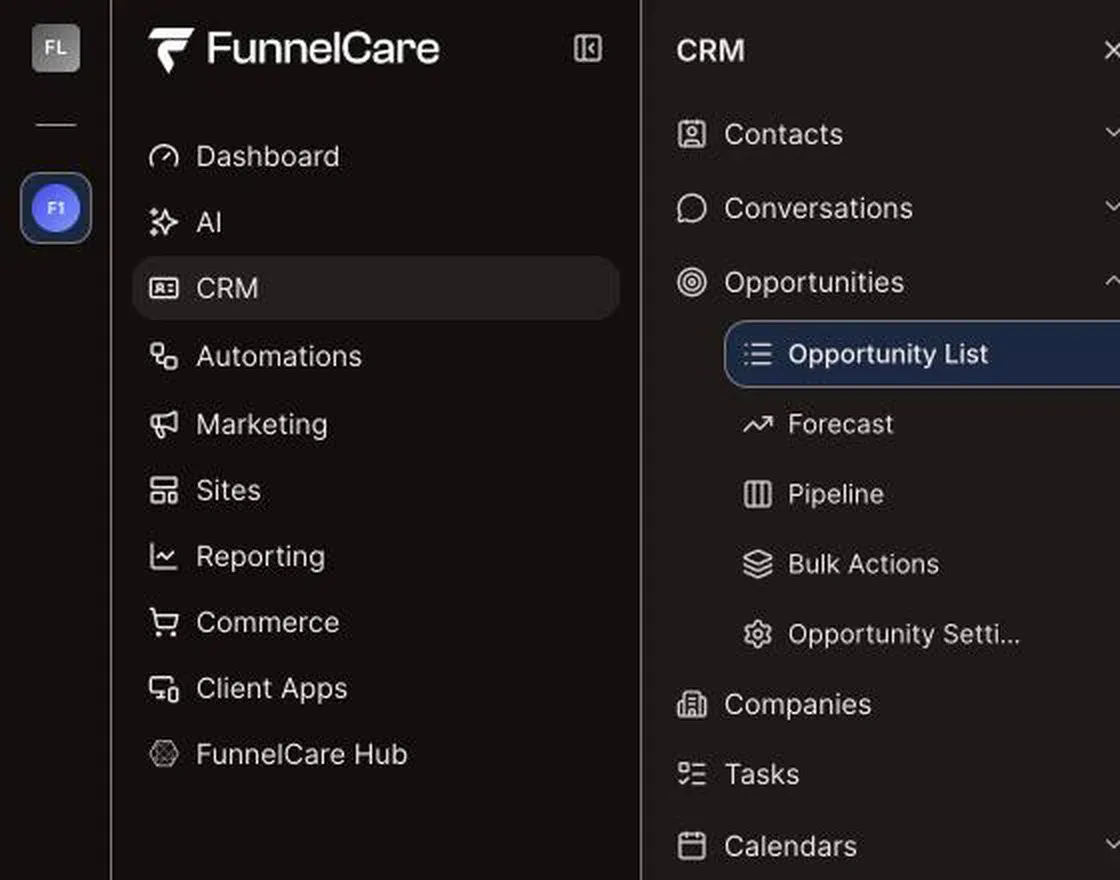
Renamed Contacts → Clients
Hidden Funnels, for trial accounts
Moved up Conversations first
Cut HighLevel down to the tools each client actually uses, so they learn it faster and ask you less.
Rename, reorder, group, hide and re-icon menu items
Hide or reword cards, tabs and buttons on 50+ pages
Show a menu item only to certain users or roles
Up to 24 Experience Profiles for different client groups
Turn the tools a client hasn't paid for into an upgrade screen, and chase overdue invoices without awkward emails.
Lock up to 12 pages behind your own upgrade screen
A plans page and an Upgrade button that link to your checkout
Banners for trial ending, failed payments and cancellations
Overdue-invoice rescue that closes pages until a bill is paid
See who is getting value in their first 30 days, and give every client help inside the CRM.
A designed dashboard with a welcome banner and onboarding checklist
Client signals: a first-30-days activation tracker and integration alerts
Guided tours, a help button and NPS surveys
Service Desk: a support button with SLA targets for your team
27 Classic themes and 11 UI kits
Each user picks light or dark on Highline
Sub-accounts set their own colours within your limits
Theme library: import, export and 50 saved designs
Brand colours read from a client's website
Pitch and Stories login designs, slides and customer logos
Privacy mode blurs contact data while you share your screen
Opens at: send a menu item to the page clients use most
Assign profiles by SaaS plan, snapshot, tag or API
Dashboard designer with 18 designs
Pipeline board styles and pipeline folders
Terminology packs and translations, including right-to-left
Unlock a page once billing is set up
Announcement banner with start and end dates
Up to 4 header buttons and a quick menu
A usage and health score per client
Contact actions: your own buttons on the contact page
Drafts and a live preview on desktop and phone
Hiding and locking are presentation choices, not permissions. The mobile app, the API and direct links still reach the data, so use HighLevel's user roles for anything private.
All of this is in the $37 plan. 30 days free.
Every tool a client hasn't paid for becomes a reason to upgrade, shown in your brand and linked to your own checkout.
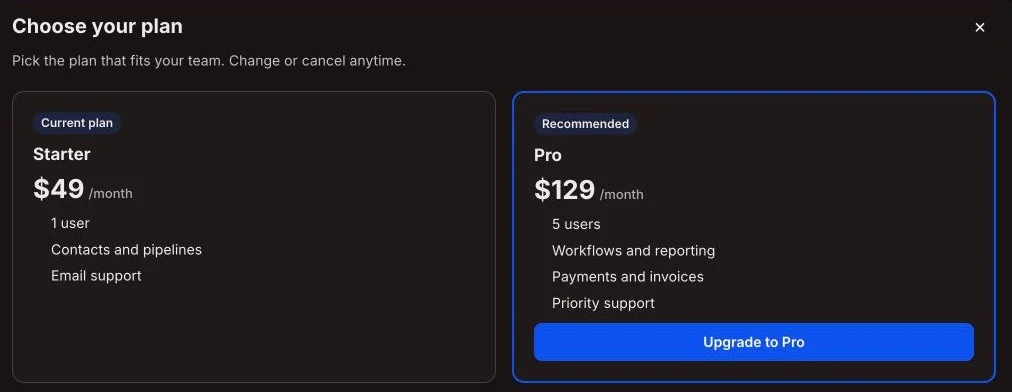
Example Lock Reporting on 40 sub-accounts. If 3 clients upgrade by $50 a month, that's $150 a month from a $37 tool.
Example Add a "Need help with ads?" smart link. One ads client at $500 a month covers the Customizer for more than a year.
Examples, not results. You set your own plans and prices.
Help lives inside the CRM, in your brand: a checklist for day one, guided tours, articles and a support button that opens a ticket with your team.
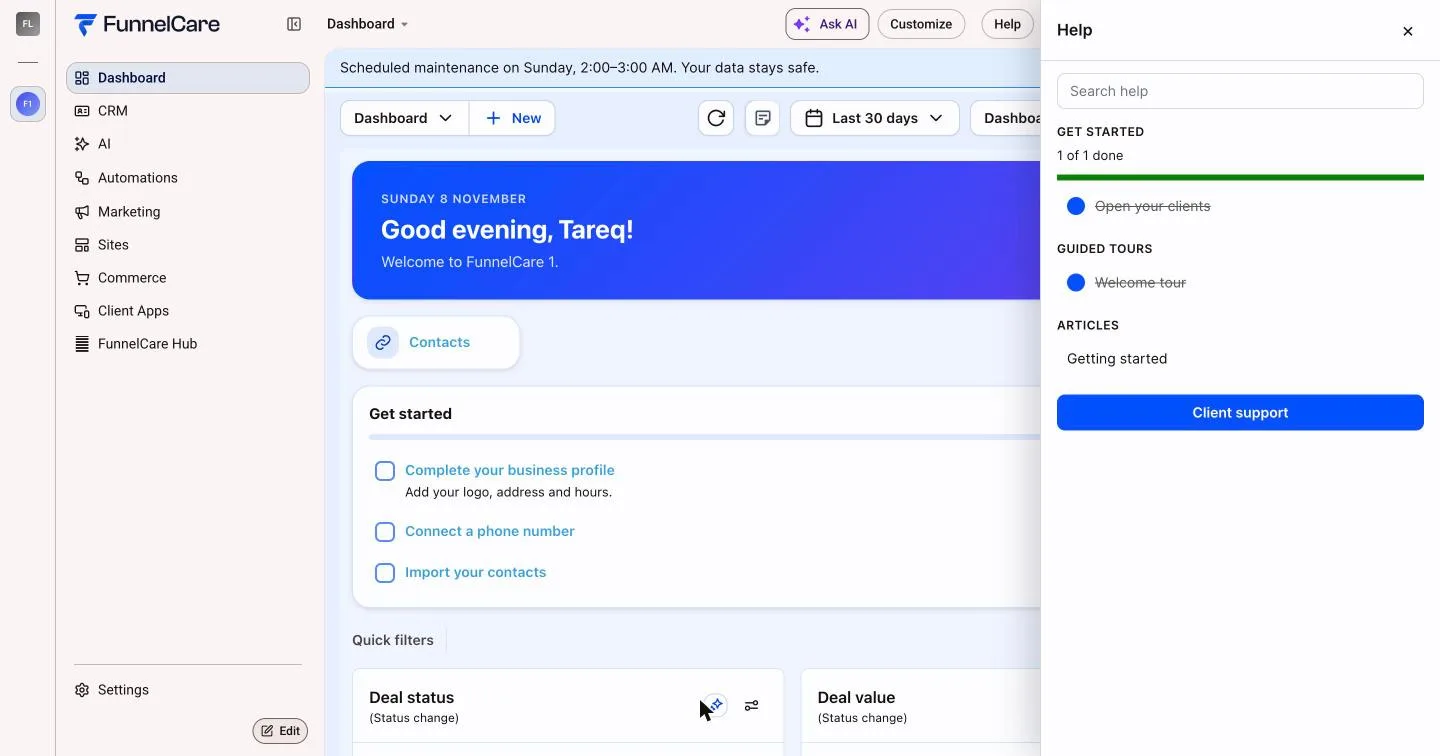
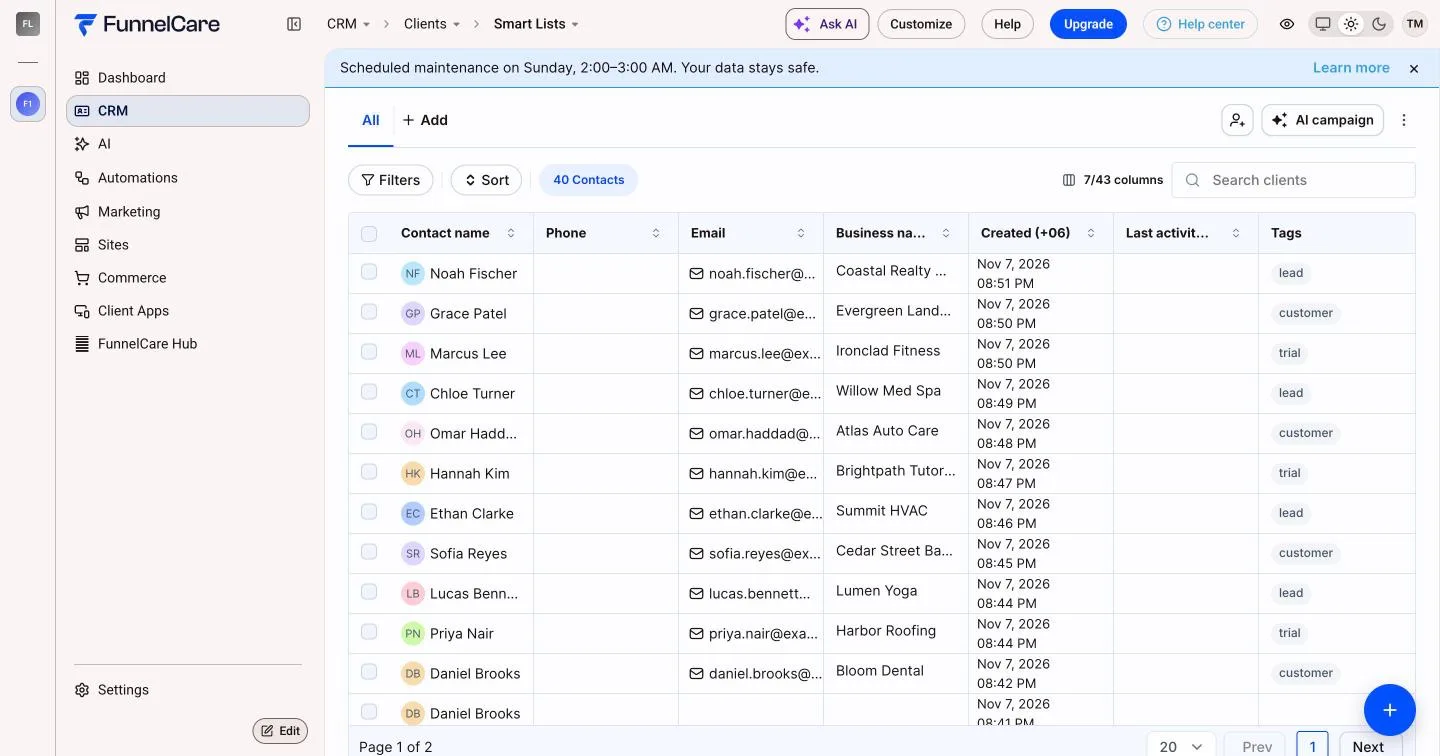
Privacy mode blurs names, emails and phone numbers with one click, so sales demos, trainings and screen shares stay safe.
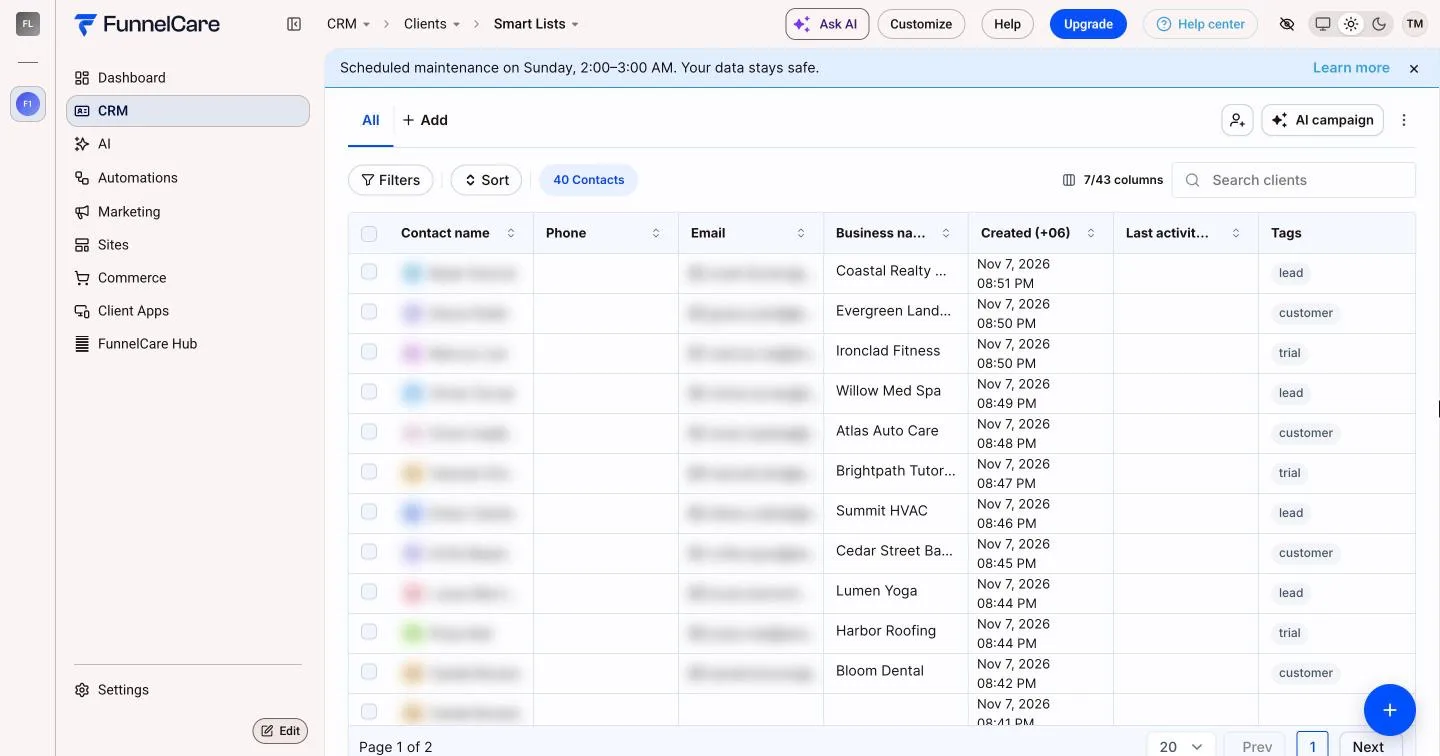
 Privacy off
Privacy on
HighLevel now has its own Custom Navigation. If you only need to reorder the menu and your plan includes it, it may be enough. For everything else:
| Feature | CSS snippets | HighLevel Custom Navigation |  Agency Customizer |
|---|---|---|---|
| What it costs | Your team's time, after every update | HighLevel's $497/month plan | $37/month on your current HighLevel plan |
| After a HighLevel update | You find and rewrite broken rules | Maintained by HighLevel | Maintained for you, no republish |
| Highline layout | Rewrite from scratch | Yes | Designed for it first |
| Reorder and group the menu | Fragile | Yes | Yes |
| Rename and hide menu items | Fragile | Limited | Per client group |
| Open a menu item at a chosen page | No | No | On Classic |
| Themes in your brand colour | Hand-written | No | Ready-made looks |
| Dark pages | Patchy | No | On Highline |
| Hide or reword parts of pages | Fragile | No | Yes |
| Designed login page | Hand-written | No | 16 designs, your wording |
| Sell upgrades inside the CRM | No | No | Lock pages, plans page, billing banners |
| Different design per client group | No | Menu templates only | Full design, menu and pages |
HighLevel features and prices as of November 2026. Other HighLevel customizer apps charge $97 to $297 a month for theme and menu changes. HighLevel changes often, so check its release notes too.
About 10 minutes, once per agency
Login domains
Domain your clients sign in on
One domain per agency. Add more any time.
In your FunnelCare dashboard, add the domain your clients use, such as app.youragency.com.
White Label
<script src="https://…" defer></script>Show Code@import url("https://…");Show CodeCustom JS and Custom CSS go into Agency Settings › Company › White Label. On Highline, also switch on "Run custom CSS and JS on Highline".
Design in the editor, preview every page, press Publish. Clients see it on their next page load.
Remove the two lines to switch it off. HighLevel is back to stock straight away.
Never reads or changes contacts, opportunities, workflows, payments or billing
Drafts never reach clients until you publish
Your clients see your brand, never FunnelCare's
“I kept solving the same problems. After solving these problems again and again, I started turning the solutions into reusable products. FunnelCare is built from the problems I've spent years getting paid to solve.”

Tareq Mahmud
Founder, FunnelCare
Every sub-account under your agency, every Experience Profile, Highline and Classic. HighLevel's own Custom Navigation alone sits on its $497 a month plan.
30 days free, then $37/month. Card taken at sign-up. Cancel anytime.
Every screen: brand, looks, dark pages, menus, pages, login
Upsell tools: lock pages, plans page, billing banners
Dashboard designer, tours, help center, NPS, Service Desk
Terminology packs and translations
White-labelled editor, up to 24 Experience Profiles
Social Proof and Funnel Analytics for your funnels
Spin & Win for restaurant clients
Runtime fixes after every HighLevel update
Cancel anytime
No HighLevel password shared
WhatsApp support
Not ready for a trial? Design your HighLevel login page free. No account, no card.
Straight answers before you start the trial. Anything else, ask us on WhatsApp.
Every Agency Customizer feature on this page for every sub-account under your agency, plus Social Proof, Funnel Analytics and Spin & Win.
Yes. Cancel whenever you like. Cancel during the 30-day trial and you pay nothing.
So the plan can start without a gap. Your card is saved at sign-up and nothing is charged for 30 days. After that the plan is $37 a month.
No. Renaming, reordering, grouping and hiding menu items run from your white label settings.
Yes. Lock a page behind your own upgrade screen, show a plans page with links to your own checkout, and let a page unlock by itself once the sub-account has billing set up (needs HighLevel's SaaS mode). FunnelCare never charges your clients. Locks are a presentation gate, so use HighLevel's permissions for anything that must stay private.
Your design is stored as settings, and FunnelCare maintains the code that applies it. When HighLevel changes a page, we fix the runtime once and every agency gets the fix on the next page load. You don't republish.
Yes to both. Highline is designed first, because it's HighLevel's new layout and accounts are moving to it. Classic keeps its own settings, so you can prepare a Highline design while clients still use Classic.
Partly. Some HighLevel screens load in a frame and offer fewer options. With dark pages you choose whether those stay light or invert to dark. Inverted colours are close, not perfect.
Remove the two lines from your white label settings and HighLevel goes back to its standard look straight away.
No. It changes how HighLevel looks and what's shown. Contacts, opportunities, workflows, payments and billing are never read or changed.
No. They see your brand. Nothing on your login page names FunnelCare.
No. It's a presentation change. For anything that must stay private, use HighLevel's user permissions as well.
Start the trial, paste two lines, publish. 30 days free, then $37 a month. Card taken at sign-up, nothing charged for 30 days. Cancel anytime.
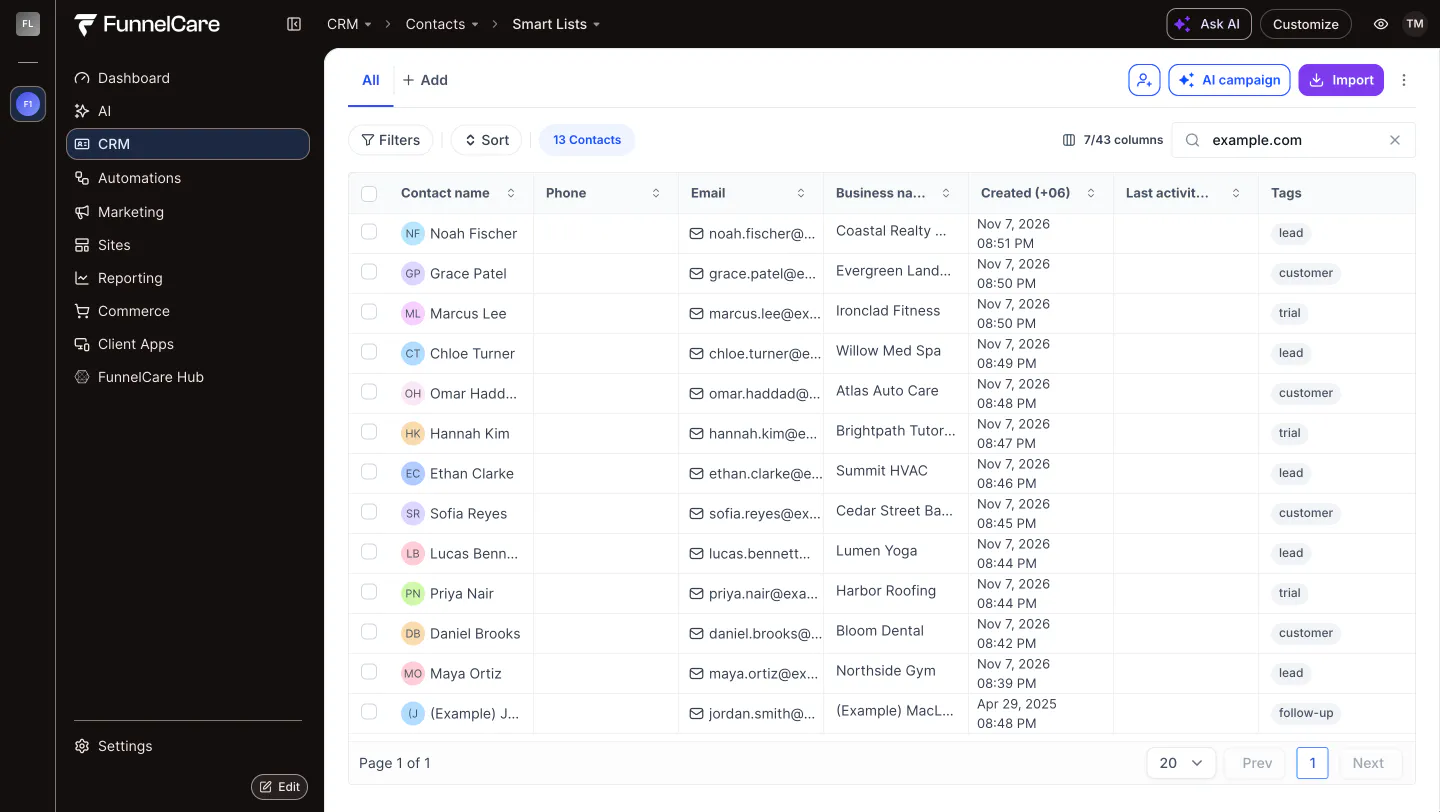
Your brand on every HighLevel page, built for Highline and Classic.
© 2026 FunnelCare. FunnelCare is not affiliated with, endorsed by or sponsored by HighLevel.
